The Photos app can’t make a real circle crop. Here’s how to create a transparent round PNG on iPhone with Circle Crop — for Instagram, WhatsApp, Discord, and more.
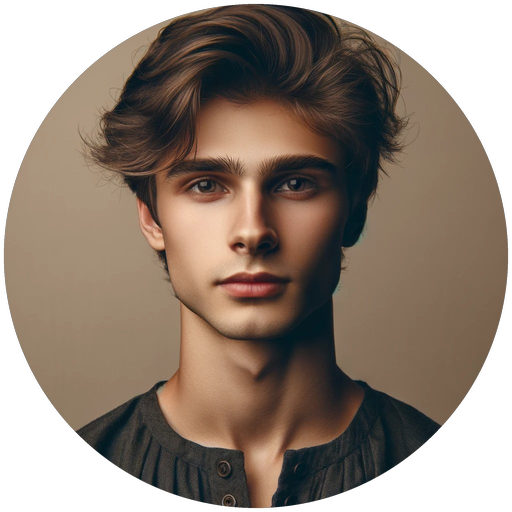
Transparent & bordered circle exports
Sample exports from crop-circle-picture · full showcase.
Transparent #3 | 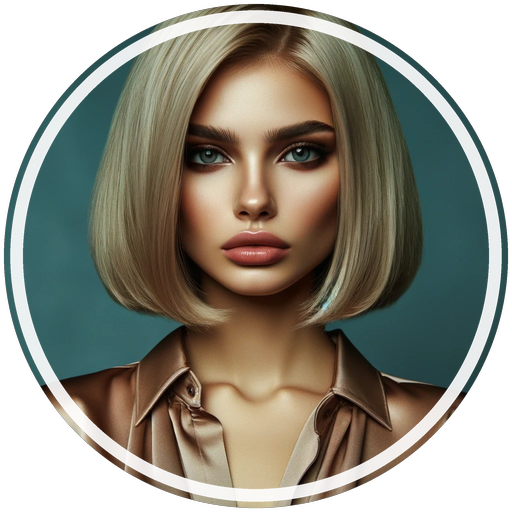 White ring #12 | 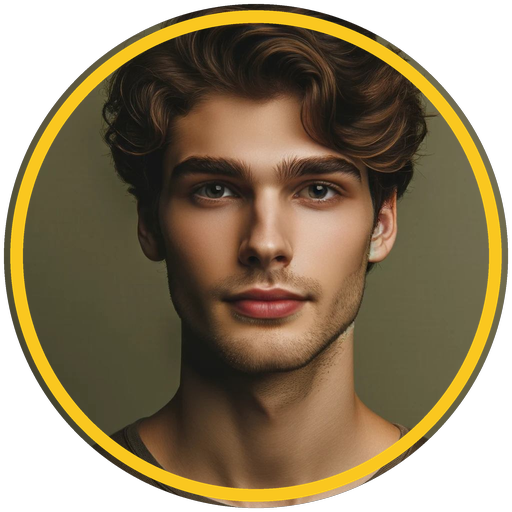 Gold #24 |  Double ring #41 |
Download our app: Circle Crop: Photo Crop & PFP on the App Store — true circle / square / hex crops, transparent PNG, Instagram · WhatsApp · TikTok · Discord sizes. Free to start.
The iPhone Photos app can crop to a square or rectangle. It cannot crop to a true circle with transparent corners.
That’s why “circle crop iPhone” searches keep growing: profile pictures on Instagram, WhatsApp, Discord, TikTok, and LinkedIn all show as circles. If you upload a square, the platform chops the corners for you — often cutting off hair, logos, or text.
Here’s the clean way to circle crop on iPhone and keep a transparent PNG you control — using Circle Crop, our free iPhone profile-picture maker.
Why Photos can’t do a real circle crop
Apple’s crop tool only supports rectangular frames (Freeform, Square, Wallpaper, 9:16, and other ratios). There is no circle mask and no transparent export from Edit → Crop.
So you have two real options:
- Accept a square and hope the social app’s round mask looks okay
- Export a true circle PNG with transparent corners before you upload
Option 2 is what people mean by “circle crop” — and it’s exactly what Circle Crop: Photo Crop & PFP is built for.
Method 1 — Circle Crop (recommended)
Circle Crop: Photo Crop & PFP is our App Store app for perfect round avatars on iPhone and iPad.
What you get
- True circle, square, oval, rounded, and hex crops
- Transparent PNG or JPEG export
- Free platform sizes: Instagram, WhatsApp, TikTok, Discord
- Borders, backgrounds, pinch-to-frame editing
- Optional Pro: AI face centering + more social sizes
Steps
- Download Circle Crop from the App Store.
- Open the app and choose a photo from Photos, Camera, or Files.
- Pick a platform size if you need one (Instagram, WhatsApp, TikTok, Discord on the free tier).
- Pinch and pan so the important part of the face or logo stays inside the circle.
- Optionally add a border or background.
- Export as PNG (keeps transparent corners) or JPEG.
- Tap Save to Photos or Share straight to the app you need.
Tips for a better avatar
- Keep eyes slightly above the center of the circle.
- Leave a little space above the head — social masks crop tighter than you expect.
- For logos, shrink the mark so every letter sits inside the ring.
- Prefer PNG when the destination supports transparency (Discord, many websites, design tools).
Method 2 — Square crop in Photos (good enough for Contacts)
If you only need a Contacts photo or a quick Messages avatar:
- Open Photos → select the image → Edit.
- Tap Crop.
- Tap the aspect-ratio control and choose Square.
- Position the subject in the middle, then tap Done.
This is not a true circle file. It’s a square that looks round only after another app applies a circular mask. Fine for Contacts; weaker for branded profile pictures. For Instagram / Discord / WhatsApp, use Circle Crop instead.
Method 3 — Markup circle (different job)
Markup’s circle shape draws a ring on top of a photo. It does not crop the image into a circle.
Use Markup when you want to highlight something in a screenshot. Use Circle Crop when you need a round profile picture.
Which format should you save?
| Use case | Best format |
|---|---|
| Discord / website avatar / design | PNG (transparent) |
| WhatsApp / Instagram upload | PNG or JPEG |
| Email signature on a colored background | PNG |
| Smallest file size | JPEG |
Transparent PNG is the safest default for profile pictures — Circle Crop exports it in one tap.
Common mistakes
- Cropping too tight — hair and ears get clipped by the social mask
- Uploading a busy background — busy corners become weird cutoffs in a circle
- Using a screenshot of a circle on white — you get a white square halo instead of transparency
- Relying only on Photos Square crop for professional headshots
Quick FAQ
Can iPhone crop a photo into a circle without an app?
Not with a true transparent circle. Photos only does rectangles and squares. That’s why we built Circle Crop.
Does Circle Crop work for Instagram and WhatsApp?
Yes. Export the round image (free presets include both), then set it as your profile photo in each app.
What’s the difference between circle crop and subject cutout?
Subject cutout (touch and hold a person in Photos on supported iPhones) removes the background. It does not force a circular composition. Circle Crop frames the subject inside a round mask on purpose.
Get Circle Crop free
Stop fighting the Photos crop tool. Make a real round profile picture in under a minute.
→ Download Circle Crop: Photo Crop & PFP on the App Store
More from Just Clack: MP3 Converter • Video to Audio · HIIT Interval Timer: Circuit · All our iOS apps
Comments
Post a Comment