Read Surah Mulk (Al-Mulk / Tabarak) offline on iPhone — Arabic text, English translation, transliteration, audio, and illustrated mushaf pages. Free app, no account.
Download our app: Surah Mulk: Read & Listen on the App Store — Arabic text, English translation, transliteration, offline audio, mushaf pages, and a daily recitation counter. Free · no account · no subscription.
Short answer: To read Surah Mulk (also called Al-Mulk or Tabarak) offline on iPhone, install Surah Mulk: Read & Listen. Arabic text, English translation, and transliteration work without internet. Audio caches after the first play. Illustrated mushaf pages are ready from install.
Surah Mulk is chapter 67 of the Quran — known as The Sovereignty. Many Muslims recite it at night for protection and blessing. This guide shows the cleanest way to build that habit on iPhone without juggling PDFs, YouTube tabs, or a full Quran app you don’t need.
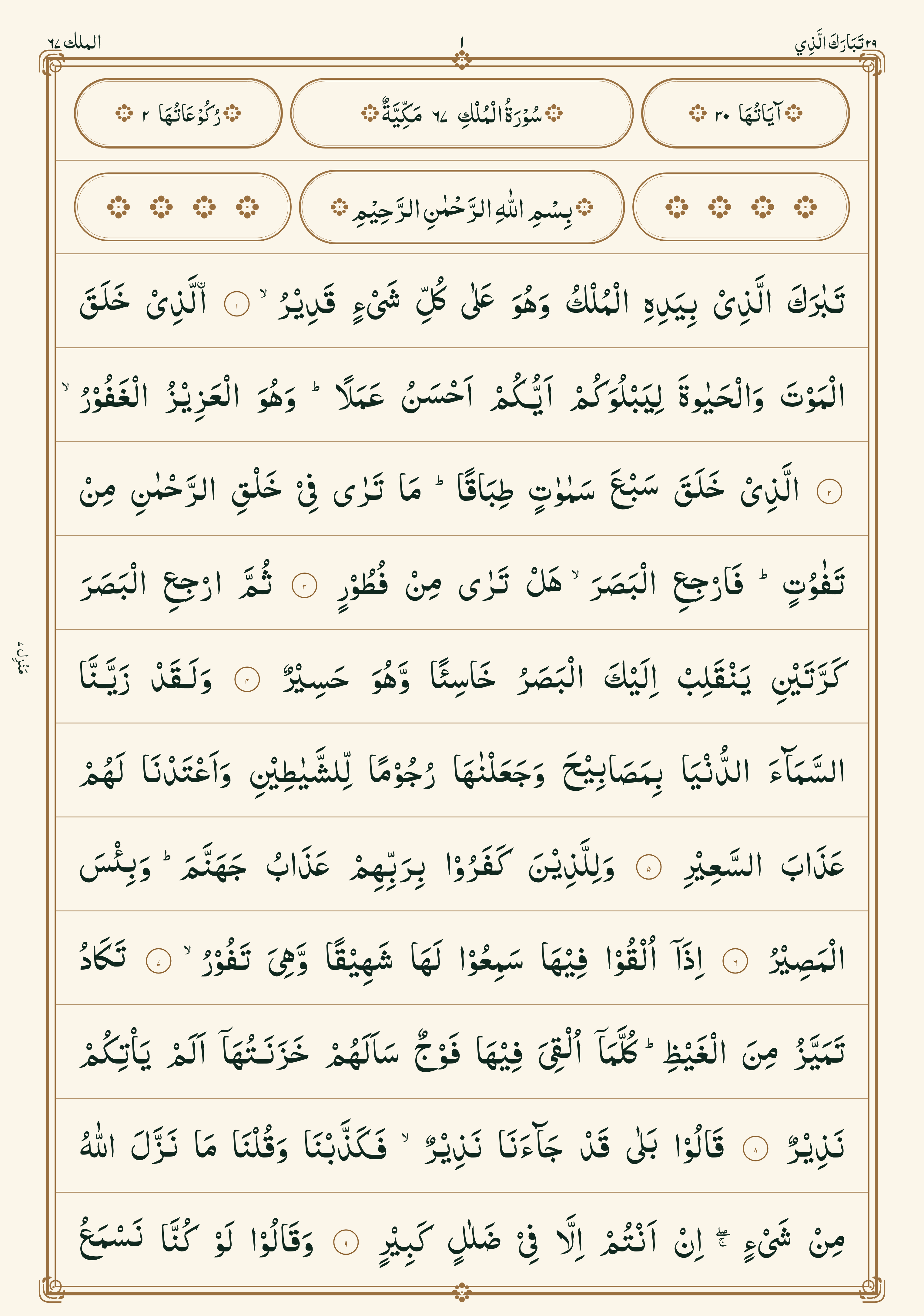
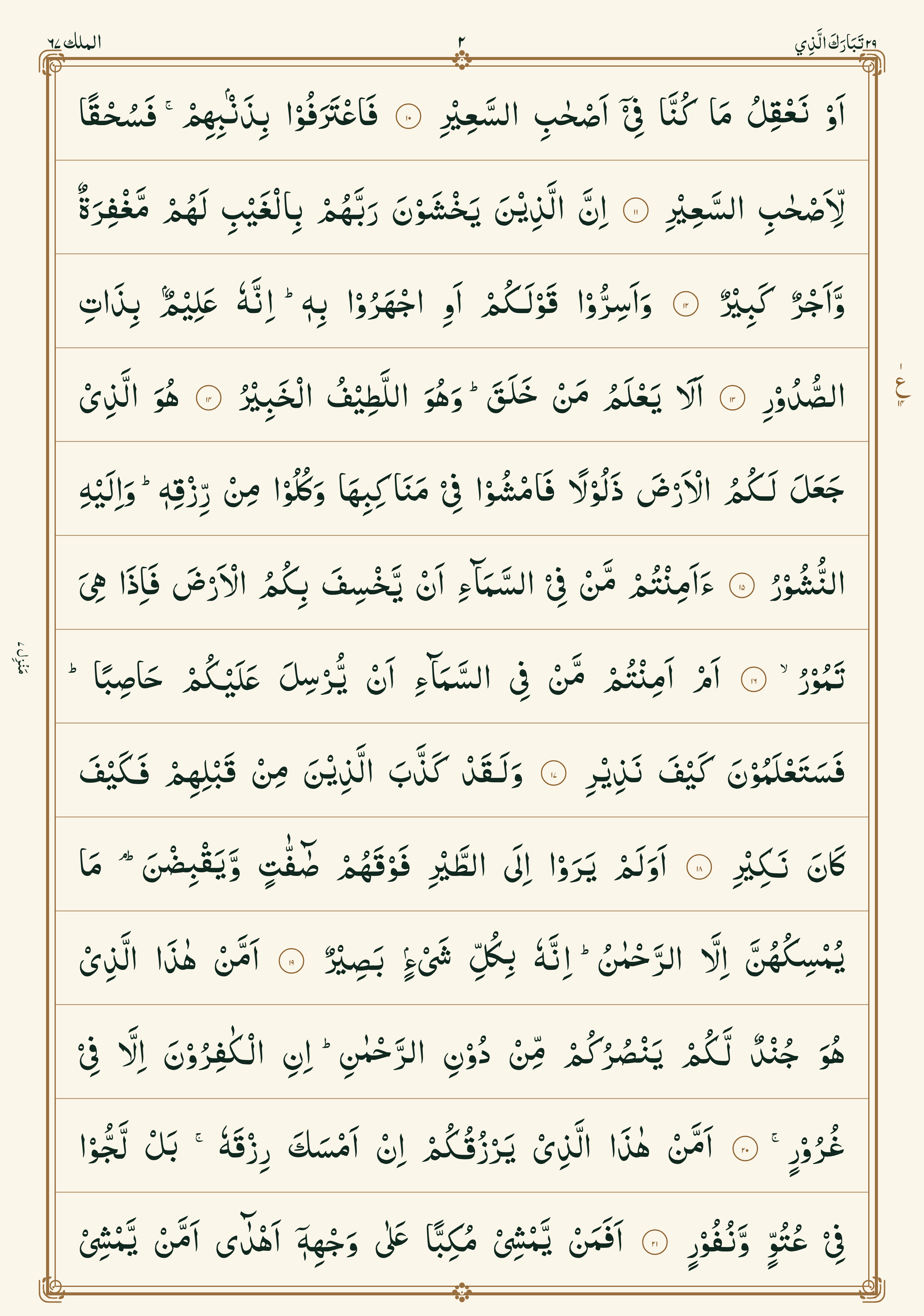
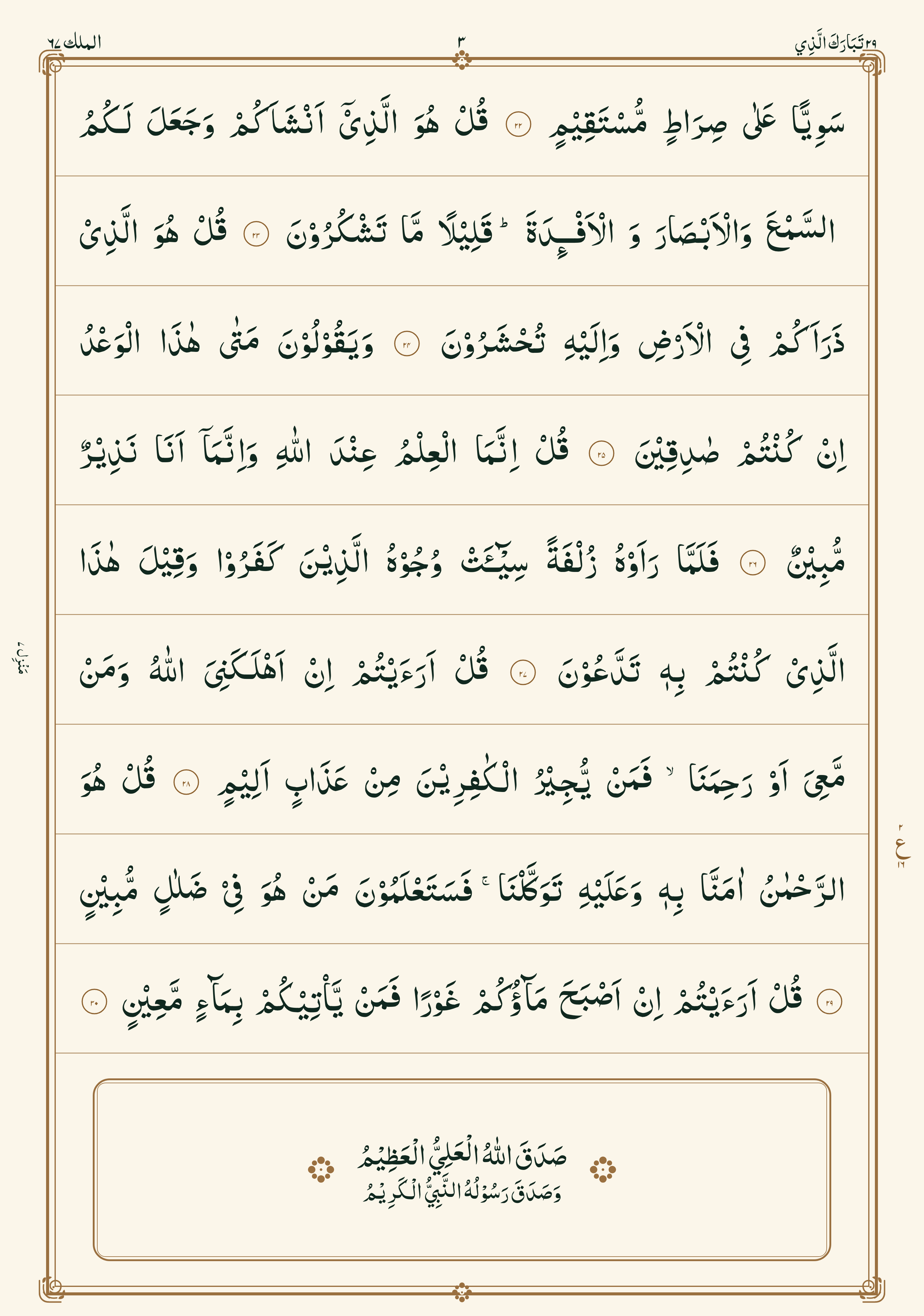
Read Surah Mulk mushaf pages (1–3)
Scroll through the full illustrated mushaf in order — page 1 to page 3.
Page 1
Page 2
Page 3
Want audio, English translation, transliteration, a daily counter, and offline reading on your phone? Use Surah Mulk: Read & Listen.
Why a Surah Mulk–only app ranks for daily use
Full Quran apps are powerful — and heavy. If your habit is one surah, a focused reader wins:
- Faster open — you land on Mulk, not a library
- Offline by default — text and mushaf pages work with airplane mode
- Less distraction — no prayer-times clutter or endless menus
- Habit tools — daily counter, reminders, and a consistency chart
That’s the job Surah Mulk: Read & Listen is built for.
What you get in the app
| Feature | Details |
|---|---|
| Arabic text | Full Surah Mulk with readable Quran fonts |
| English translation | Clear meaning beside each ayah |
| Transliteration | Roman script for pronunciation help |
| Audio | Background playback; caches after first play for offline listening |
| Mushaf pages | Illustrated pages — swipe, zoom, last page remembered |
| Daily counter | Track recitations and build a night habit |
| Reminders | Optional daily notification |
| Themes | Accent colors, dark & light mode, adjustable text size |
| Privacy | No account. Free with optional ads |
Requires iOS 17+. Designed for iPhone and iPad.
How to read Surah Mulk offline on iPhone
Step 1 — Install
- Open the App Store on your iPhone.
- Download Surah Mulk: Read & Listen.
- Open the app — no sign-up required.
Step 2 — Read Arabic, translation, or transliteration
- Open the reading view.
- Scroll verse by verse through Surah Mulk (30 ayahs).
- Adjust font size and theme in Settings if Arabic feels small.
- Switch between Arabic, English translation, and transliteration as you need.
Step 3 — Listen with offline audio
- Tap play on the audio player.
- Let the first play finish (or buffer) once while online.
- After that, audio plays from cache — useful before sleep or on commute.
- Background playback keeps recitation going when you lock the screen.
Step 4 — Browse mushaf pages
- Open the Mushaf reader.
- Swipe through illustrated pages (RTL reading).
- Pinch to zoom; toggle dark mode for night reading.
- The app remembers your last page so you can continue later.
Step 5 — Build a nightly habit
- Tap the counter after each full recitation.
- Turn on a daily reminder for after Isha or before bed.
- Keep the streak simple — once a night is enough.
Surah Mulk vs Al-Mulk vs Tabarak — same chapter
Searchers use all three names:
- Surah Mulk / Surah Al-Mulk / Tabarak / سورة الملك
- Chapter 67 of the Holy Quran
- Often recited at night for protection and mercy
The app covers the full chapter either way you search it.
Who this is (and isn’t) for
Great fit if you want:
- Nightly Surah Mulk only
- Offline Arabic + translation + transliteration
- Audio without hunting YouTube every time
- A simple streak / counter habit
Not the right tool if you need:
- The full 114-surah Quran library
- Prayer times, Qibla, or tafsir deep-dives
Stay focused: one surah, done well.
Tips for a better nightly recitation habit
- Recite after Isha or right before sleep.
- Use transliteration until pronunciation feels natural, then lean on Arabic.
- Play audio while following the text once, then recite yourself.
- Pair with Friday Surah Kahf or daily Yaseen if those are already habits — read Surah Yaseen offline.
Quick FAQ
Can I read Surah Mulk offline on iPhone?
Yes. In Surah Mulk: Read & Listen, Arabic text, translation, transliteration, and mushaf pages work offline. Audio needs one online play, then caches.
Is Surah Mulk the same as Tabarak?
Yes. Same chapter (67). “Tabarak” comes from the opening words of the surah.
Does the app need an account or subscription?
No account. No subscription. Free with optional ads.
How many ayahs are in Surah Mulk?
Surah Mulk has 30 ayahs.
Can I read the mushaf on this page?
Yes — scroll the three illustrated pages above (page 1 through page 3) in order.
Is this a full Quran app?
No — Surah Mulk only. That focus is intentional for nightly recitation.
Get Surah Mulk free on iPhone
Read, listen, and track Surah Mulk without clutter.
→ Download Surah Mulk: Read & Listen on the App Store
More from Just Clack: Surah Yaseen: Read & Listen · Surah Rahman: Read & Listen · Surah Waqiah: Read & Listen · All our iOS apps
Comments
Post a Comment